4-u-1 Multi-enzimski
Napredna enzimska tehnologija
Aktivni enzimi prodiru u nečistoće i pomažu razgraditi tvrdokorne mrlje, masnoću i prljavštinu za temeljitije čišćenje.
Aktivna pjena bez potrebe za ispiranjem
Bogata pjena pomaže odvojiti prljavštinu od površine. Jednostavno poprskajte, ostavite da djeluje i obrišite – bez dodatnog ispiranja vodom.
Svestrana primjena
Praktično rješenje za čišćenje različitih površina, uključujući tkanine, kožu, vinil, plastiku i tepihe, uz prethodnu provjeru kompatibilnosti materijala.
Neutralizira tvrdokorne neugodne mirise
Formula pomaže neutralizirati neugodne mirise umjesto da ih samo prikriva, ostavljajući površine svježijima nakon čišćenja.
Štedi vrijeme i trud
Zaboravite na dugotrajno i naporno ribanje. Brz i jednostavan način čišćenja olakšava svakodnevno održavanje doma i automobila.
Učitavanje dostupnosti preuzimanje nije moguće
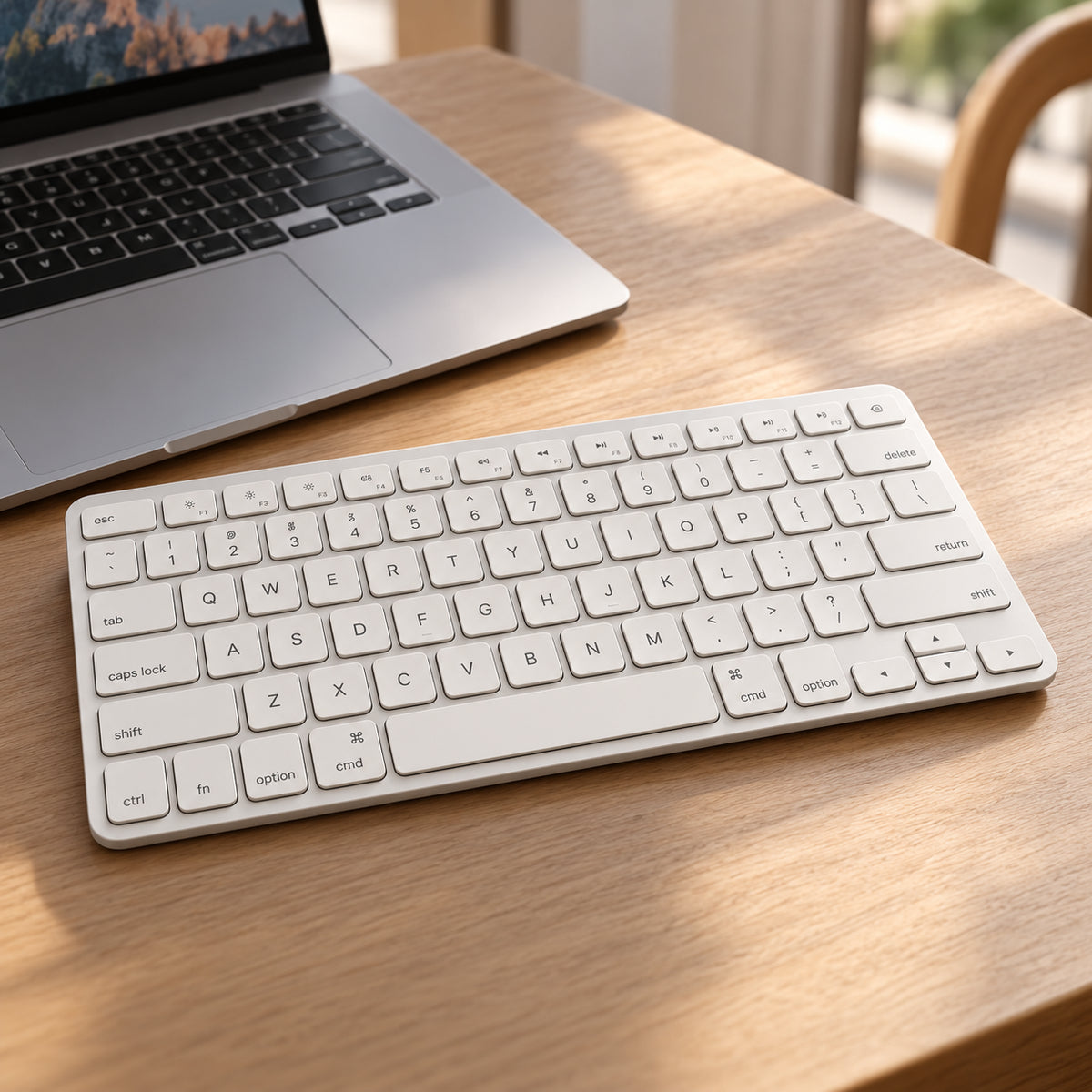
Pearl Travel Desk Keyboard brings pearl white tones and softly rounded outer corners into a pared-back laptop desk between work sessions. This Bemorali selection is presented through an original design illustration so you can consider its visual direction alongside the keyboard features that matter to your routine.
This is an external keyboard for a laptop desk, rather than an internal replacement part. Choose according to the exact compatibility and supplied-version details, rather than the scene props.
Highlights
A lighter visual footprint
The illustration explores pearl white tones and softly rounded outer corners. Consider how this palette would sit beside the screen, mouse and surface you already use, instead of choosing by a single accent alone.
Layout at a glance
The pictured design shows a small external keyboard composition. Review the offered version's key layout before ordering if particular navigation, function or numeric keys are essential to your workflow.
A laptop workspace companion
Consider your available laptop ports and supported operating system before choosing an external keyboard. A similar-looking computer in a scene does not establish compatibility.
Room for the rest of your desk
Think about how the keyboard sits alongside your mouse and screen. Dimensions and connection requirements need to be confirmed for the supplied item; the illustration is not a measurement guide.
Ways to use
- Plan the position. Start with the space in front of your screen and leave room for the mouse. Arrange the keyboard where it does not force an awkward reach.
- Check the connection. Follow the exact product and device instructions. Do not assume wireless operation, a specific USB connector or included adapters without confirmation.
- Settle into your routine. Try the layout with the tasks you repeat most often. Check how familiar laptop shortcuts behave with the external keyboard.
Everyday scenarios
Consider this visual direction for a pared-back laptop desk between work sessions, or for a clean cafe or home workspace. The scene is intended to help you imagine placement and colour balance, without claiming a tested performance improvement.
Care & storage
Disconnect power as directed before cleaning. Remove loose dust gently, keep liquids away, and follow the model's surface-care instructions. Do not remove keycaps or switches unless the supplied model supports it. Store dry and protect any cable from sharp bends.
AI-generated design illustration. Scene props are not included unless expressly listed. Materials, dimensions, switch specification, connection, package contents and tested compatibility have not been established by the illustration.